Terminology and Concepts to look out for
Content Corpus · sweep · model · persist · study preference prompt · AI Generated Output · study-guide budget
Relevance to Me
Thursday's midterm is open guide. Your guide is what you paste into this week's three forms. Today: Mid Term Prep Day 1 — the Content Corpus covers Aug 31 – Sep 14.
Your midterm-prep data processing pipeline — three stages, run once per day on a new Content Corpus:
- Sweep the data. Open the Google Doc, read every ¶, and strike every ¶ you already know cold. What remains is the still-shaky data you actually need to study.
- Model the data. Split the remaining ¶s into four roughly-equal chunks, one per MuggsOfStudy tab. Add a study preference prompt (flashcards · quiz me · simpler words · an example · table it · trip me up). Generate one AI Generated Output per chunk. If a chunk came back weak, re-prompt with a different shape.
- Persist to your study guide. Submit each Chunk N AI Generated Output into item N of today's form. That is what gets printed on Thursday's midterm guide. An empty item prints as a blank — watch your 3,000-word study-guide budget.
Board Question
Your Content Corpus is 3,000 words. How do you turn it into four chunks by the bell?
Before the workflow, this. An AI is not a library. It is not an expert. It is a model — frozen numbers on a machine — and it operates on whatever data you send it.
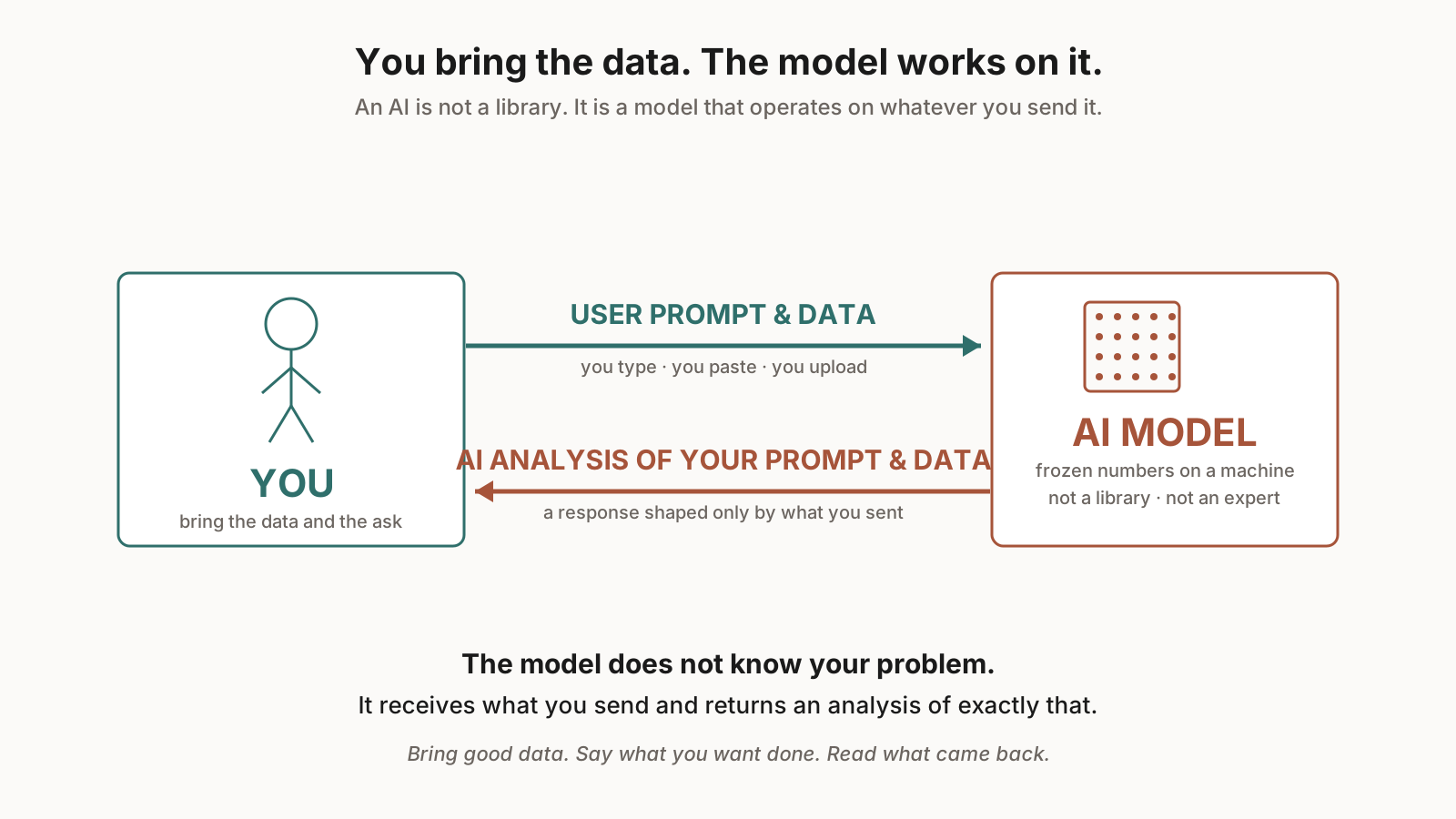
Two arrows. You send USER PROMPT & DATA across the top. The model runs on that, and returns an AI ANALYSIS OF YOUR PROMPT & DATA across the bottom. There is no third arrow to a library, an expert, or a search engine. The response is shaped only by what you sent.
That is what MuggsOfStudy is. You bring the Content Corpus. You bring the study preference prompt. The model works on those two things and gives you back an AI Generated Output. Send in a shaky chunk with no ask, and the response is a guess. Send in a tight chunk with a clear ask, and the response actually helps you study.
Today's job:
- Audit the Content Corpus — Open Doc 1, read every ¶, strike what you already know cold.
- Divide and generate — Four roughly-equal chunks into MuggsOfStudy tabs. Each with a study preference prompt.
- Audit each AI Generated Output — Is it helpful? Re-prompt with a different shape if not. Watch the 3,000-word study-guide budget.
Then submit Chunk 1 → item 1, Chunk 2 → item 2, and so on. Work time starts now and runs until the exit ticket pops up. Goal: four filled items.